WhatsApp Business app vs. the WhatsApp API: what changes and when to switch
How the WhatsApp Business app differs from Meta's official Business Platform, how the 24-hour window and message templates work, and why unofficial tools put your number at risk.
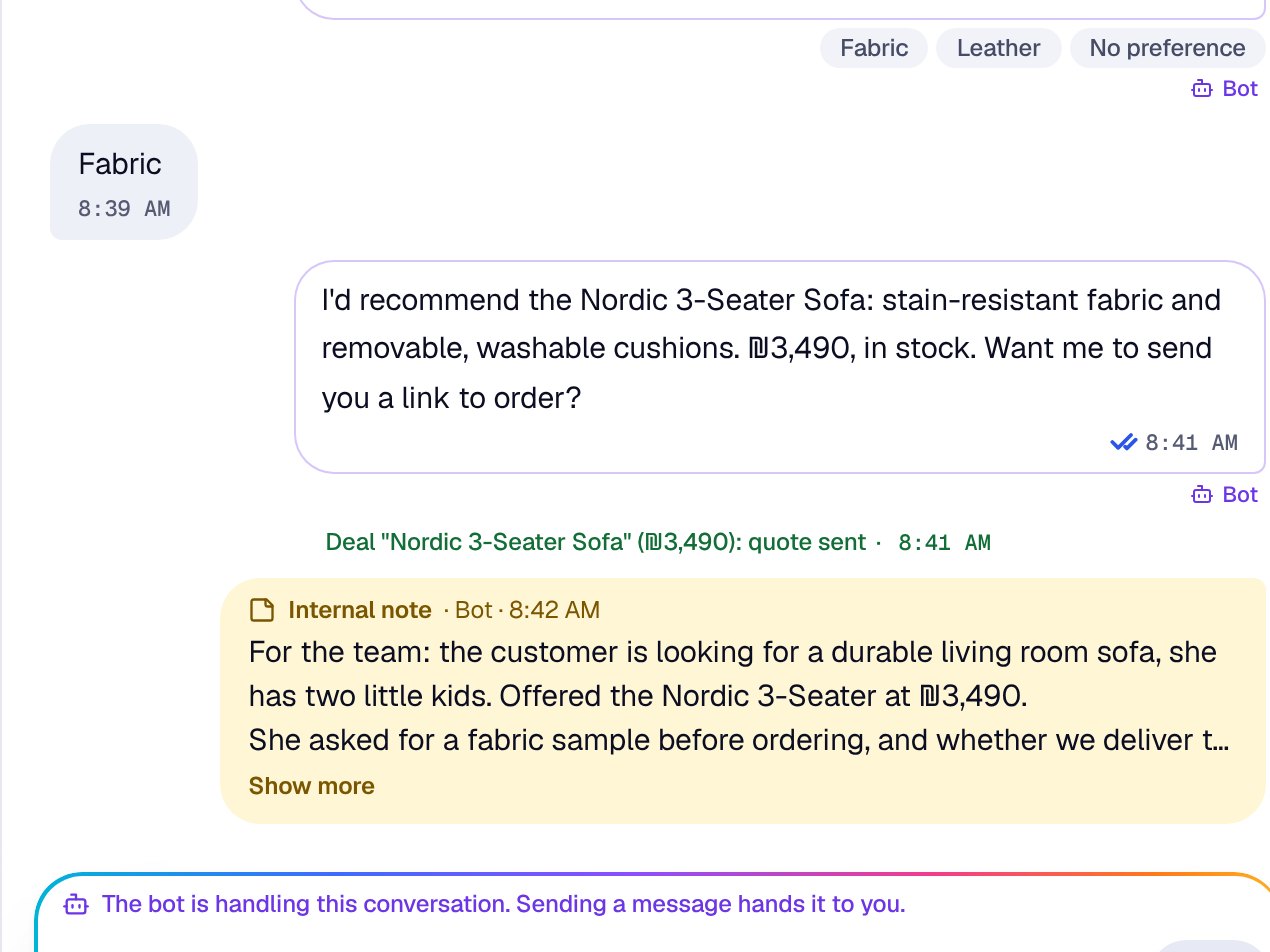
Most businesses start with the WhatsApp Business app on a phone. It’s free, simple and works well as long as one person handles customers. Then more customers arrive, more people join the team, and the same questions keep coming. That’s where the WhatsApp Business Platform comes in, usually just called “the API”. Here’s what separates the two, what changes when you move, and how to tell it’s time.
What the WhatsApp Business app is
It’s an app you install on a phone, like regular WhatsApp, with a few extras for businesses: a business profile, a catalog, chat labels, a greeting message and an away message.
It fits when:
- One or two people answer customers.
- Message volume is manageable by hand.
- You don’t need WhatsApp to talk to any other system.
The limits show up as the team grows. The account is tied to one phone, and linked devices are limited. It’s hard to tell who replied to whom, there’s no proper way to assign conversations, and connecting chats to your store, calendar or deal tracking is awkward at best.
What the WhatsApp Business Platform is
It’s Meta’s official WhatsApp access for businesses, through the Cloud API. There’s no app on a phone. Your number connects to a system, and your team replies from there, on desktop or mobile, several people at once.
What that makes possible:
- Several agents working on the same number at the same time.
- Conversation assignment, internal notes and tasks.
- Connections to your store, your catalog and other tools.
- An AI agent that answers customers for you.
- Product cards, buttons and payment links.
- Measurement: response time, unanswered conversations, conversations that turned into sales.
The 24-hour window and message templates
This is the difference worth understanding before you switch.
When a customer messages you, a 24-hour customer service window opens. Inside it you can write freely, like any conversation. Every new message from the customer restarts the window.
Once the window closes, you can only reach that customer with a message template that Meta has approved in advance. A template is a fixed message with variable fields, such as the customer’s name or an order number. Templates are used for reminders, order updates, quote follow-ups and campaigns.
In practice:
- Reply while the customer is still in the conversation instead of leaving it for tomorrow.
- Prepare a few templates for recurring cases: appointment reminders, “your order has shipped”, quote follow-ups.
- Marketing and utility templates are categorized and priced differently. Meta updates its terms from time to time, so check their current documentation.
Official vs. unofficial tools
There are plenty of tools that hook WhatsApp up to a computer through WhatsApp Web or a modified app and send automated messages from it. They look cheap and simple. The catch is that they don’t go through Meta’s official access.
The risks:
- Your number can be blocked, sometimes without warning. A number your customers have known for years is gone.
- Nobody is accountable when something breaks after a WhatsApp update.
- No approved templates, product cards or other official features.
If WhatsApp is a main sales channel for you, don’t build it on something that could disappear tomorrow.
Signs it’s time to switch
There’s no single right moment, but the signals are clear:
- More than one person needs to reply from the same number.
- Messages get lost between personal chats.
- Customers write in the evening and on weekends, and nobody is there.
- You want to know how long replies take and which conversations became sales.
- You want to send payment links, product cards or order updates in an organized way.
- You run several channels and want WhatsApp next to Instagram, Facebook and email.
What to check before you move
- Your phone number. In most cases you can bring your existing number to the platform. Check in advance what happens to chat history and whether the number can keep working in the app as well.
- Business verification. Meta asks you to verify the business through a business portfolio. Have the details ready.
- Templates. List the messages you send to customers who haven’t written recently, and submit them for approval.
- Who handles what. Before the team logs in, decide how conversations are assigned and when one gets passed to someone else.
So, switch or not?
The app is a great place to start. Once you have a team, several channels and customers writing at all hours, the official platform lets you split the work, measure it, and stop worrying that your number will get blocked. Chatles connects to Meta’s official WhatsApp Business Platform, so your whole team answers from one number, right next to every other channel.